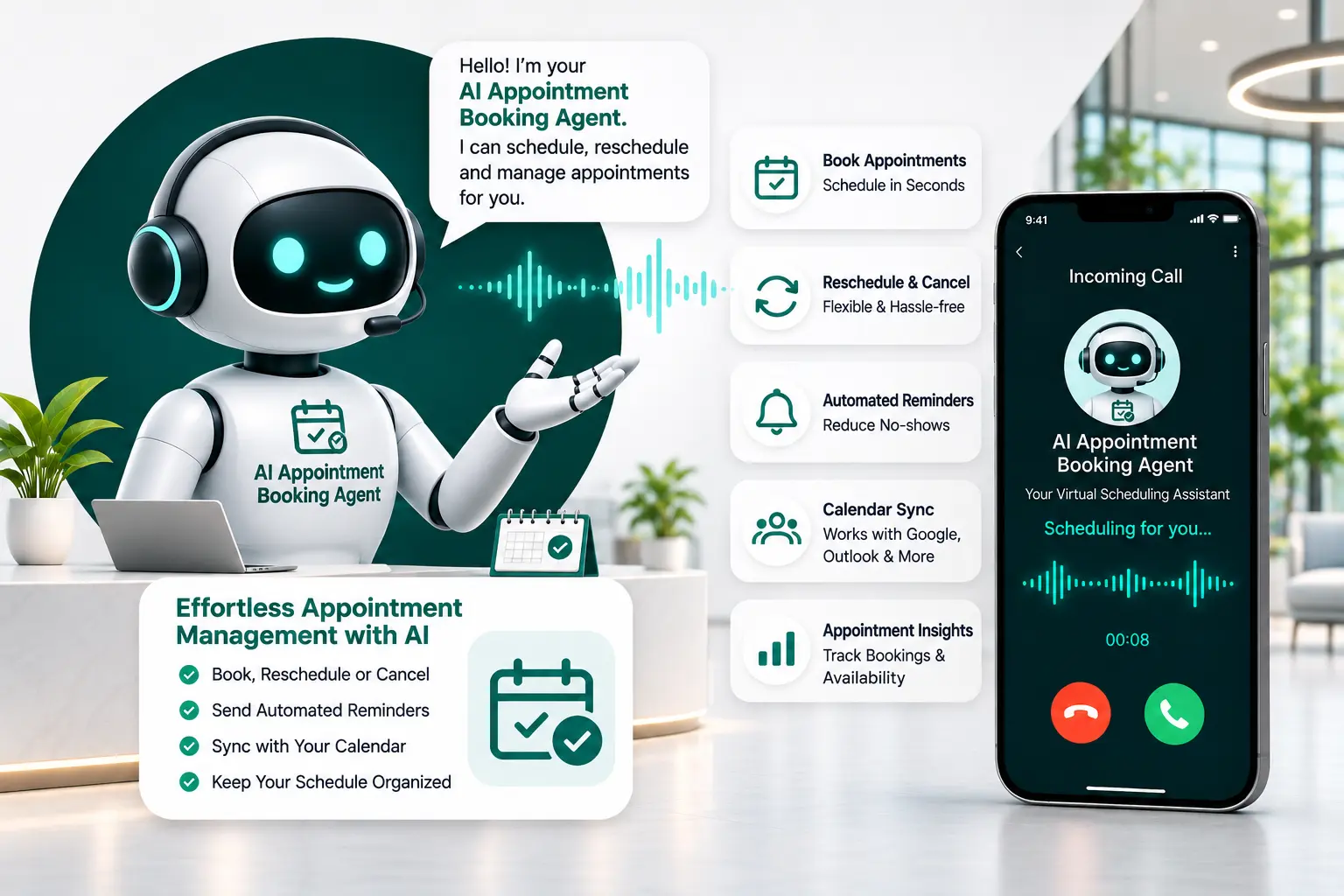
AI Appointment Booking Agent: Book Appointments 24/7
Turn More Enquiries into Confirmed Appointments.
A customer wants to book an appointment, but your team is busy or your office is closed. They may not wait for a callback. They may simply choose another business.
AITeleMate's AI Appointment Booking Agent helps you respond to appointment requests, check available time slots, book appointments, and send confirmations through connected systems.
It can also help customers reschedule or cancel appointments, send reminders, and update your CRM.
Whether you run a clinic, salon, real estate business, or sales team, AITeleMate helps make appointment scheduling easier for your customers and your staff.
Book appointments faster. Reduce manual follow-ups. Give customers an easier way to schedule.
Hear Our AI Appointment Booking Agent on Real Calls
Listen to real callers scheduling consultations, checking specialist hours, and confirming appointment slots without any hold time or front-desk staff delay.
Clinic & OPD Appointment Booking (Hindi)
AppointmentsHindiInbound Booking
Patient booking doctor consultation in natural conversational Hindi. The AI checks practitioner availability and books the slot directly into the calendar.
Recordings are authentic AI telephony conversations. Custom voice tones, scripts, and webhook integrations are configured to your operational workflows.
Overview
What Is an AI Appointment Booking Agent?
An AI appointment booking agent is a virtual assistant that helps customers schedule appointments through natural conversations.
Instead of filling out a long form or waiting for someone to answer the phone, customers can simply tell the AI what they want to book and when they are available.
The AI understands the request, asks for any missing details, checks available time slots through a connected calendar, and helps confirm the appointment.
Real-World Booking Scenario
For example, someone may call a dental clinic and say, “I want to book a check-up for Friday afternoon.”
The AI can ask which service they need, check the clinic's available slots, and offer a suitable time. Once the customer agrees, it can book the appointment through the connected scheduling system.
With AITeleMate, businesses can manage appointment requests and follow-ups without depending only on manual calls and messages.
Operational Challenges
Why Do Businesses Need AI Appointment Scheduling?
Managing appointments may sound simple, but it takes time.
Your team needs to answer calls, check calendars, ask customers about their preferred time, confirm bookings, and send reminders. When many people want appointments at once, the process can become difficult.
Customers may also contact your business outside office hours. If they do not get a quick response, they may lose interest or book somewhere else.
An AI appointment booking agent helps solve these problems.
Respond to enquiries faster
Help customers when they request an appointment.
Accept requests beyond office hours
Let customers ask for appointments even when your team is unavailable.
Reduce manual scheduling
Automate routine booking and follow-up tasks.
Avoid calendar confusion
Check connected calendar availability before confirming a slot.
Manage appointment changes
Help customers reschedule or cancel through the configured workflow.
Keep customers informed
Send appointment confirmations and reminders through supported channels.
Give staff more time
Let your team focus on customer service instead of repetitive scheduling work.
Agent Capabilities
What Can AITeleMate's AI Appointment Booking Agent Do?
AITeleMate helps businesses manage the appointment journey, from the first enquiry to confirmation and follow-up.
1. Book Appointments Automatically
Customers should not have to wait for a callback just to book a meeting or service.
AITeleMate can respond to appointment requests, understand what the customer needs, and help book a suitable time.
It collects the required details, checks available slots through your connected scheduling system, and confirms the booking after the customer agrees.
This makes the booking process easier for both customers and your team.
2. Check Real-Time Calendar Availability
Offering a time that is already booked can create confusion for customers and staff.
AITeleMate can connect with supported calendars and scheduling systems, including Google Calendar, Microsoft Outlook, Calendly, or an internal scheduling system.
It checks available time slots before offering a time to the customer.
For example, if a customer asks for an appointment at 3 PM, the AI can check whether that time is available. If it is not, it can offer another suitable slot based on your booking rules.
3. Reschedule or Cancel Appointments
Plans can change. A customer may need to move an appointment to another day or cancel it.
Instead of asking them to call your team again, AITeleMate can help manage these requests through a connected scheduling system.
The AI can:
Find the customer's existing appointment.
Ask for the preferred new date or time.
Check available slots.
Confirm the change with the customer.
Update the connected calendar.
Cancellation and rescheduling actions depend on your configured booking rules and system integration.
4. Send Appointment Confirmations
After a booking is made, customers need to know that their appointment is confirmed.
AITeleMate can send appointment confirmation messages through supported channels such as SMS, WhatsApp, or email, depending on your setup.
A confirmation can include:
Customer name Appointment date Appointment time Service / meeting type Business location or meeting details Contact information for further help
This gives customers a clear record of their booking.
5. Send Automatic Appointment Reminders
Customers sometimes forget their appointments. A reminder can help them remember the date and time.
AITeleMate can send reminders through supported channels, such as voice calls, SMS, WhatsApp, or email.
Your business can set the reminder schedule according to its needs. For example, you may send a reminder one day before an appointment.
Customers can then confirm their visit or request a change through the configured workflow.
6. Qualify Leads Before Booking
Not every appointment request is the same.
A sales team may need to know a customer's requirements before scheduling a product demo. A clinic may need to know the type of consultation a patient wants.
AITeleMate can ask relevant questions before booking an appointment. For example, it may collect:
• Customer name• Contact number• Service or meeting required• Preferred date and time• Location or branch preference• Basic requirements• Other details needed by your team
This helps your staff prepare for the appointment and understand the customer's needs.
7. Handle Multiple Appointment Requests
Businesses may receive several appointment requests at the same time.
An AI appointment booking agent can handle multiple conversations based on the capacity of your configured system and telephony setup.
This helps customers get a response without depending only on the number of employees available to answer calls.
8. Update Your CRM Automatically
Appointment information should be easy for your team to find.
AITeleMate can connect with supported CRM systems and workflows to update relevant details, such as:
• Customer information• Appointment date and time• Booking status• Reschedule / cancel details• Customer requirements• Call summary• Follow-up notes
This helps your team manage appointments and customer enquiries from its connected business tools.
Process Flow
How Does AI Appointment Booking Work?
AITeleMate follows a simple process to turn an appointment request into a confirmed booking.
Step 1
A Customer Makes an Appointment Request
A customer contacts your business through a phone call, website enquiry, advertisement, or another connected channel.
Step 2
The AI Responds
The AI voice agent starts a conversation and asks what type of appointment the customer needs.
Step 3
It Collects the Required Details
The AI asks for information such as the customer's name, preferred date, time, and service or meeting type.
Step 4
It Checks Calendar Availability
The AI checks your connected calendar or scheduling system to find available time slots.
Step 5
The Customer Chooses a Suitable Time
The AI offers available options. The customer selects the time that works best.
Step 6
The Appointment Is Confirmed
After the customer agrees, the booking is added to the connected scheduling system.
Step 7
A Confirmation Is Sent
The customer receives a confirmation through the supported communication channel.
Step 8
Your CRM Is Updated
The appointment details and relevant conversation information can be saved in your connected CRM or business system.
This process helps reduce manual work and makes appointment scheduling easier to manage.
Live Call Simulation
Example: How an AI Agent Books an Appointment
Here is an example of how an AI appointment booking agent may handle a call for a dental clinic.
Bright Smile Dental Clinic Call
Voice Assistant
AI Agent:
Hello! Welcome to Bright Smile Dental Clinic. How can I help you today?
Customer:
Hi, I want to book a dental check-up.
AI Agent:
Certainly! Would you prefer an appointment in the morning or afternoon?
Customer:
Afternoon, please.
AI Agent:
Let me check the available appointments. We have an opening on Friday at 3 PM and another on Saturday at 4 PM. Which one works better for you?
Customer:
Friday at 3 PM.
AI Agent:
Great. May I have your name and contact number to complete the booking?
Customer:
My name is Rahul.
AI Agent:
Thank you, Rahul. Your dental check-up is booked for Friday at 3 PM. You will receive a confirmation message shortly.
Customer:
Thank you.
AI Agent:
You're welcome. We look forward to seeing you!
This is an example conversation. The actual questions, available time slots, and booking steps depend on the business's calendar, appointment rules, and configuration.
Slot Conflicts
What Happens When a Time Slot Is Not Available?
Sometimes a customer asks for a time that is already booked.
The AI should not promise an unavailable appointment. It should check the connected calendar and offer other available options.
For example:
Customer: Can I book an appointment tomorrow at 11 AM?
AI Agent:I'm sorry, that time is already booked. I can offer you 12 PM or 2 PM tomorrow. Would either of these work for you?
Customer: 2 PM is fine.
AI Agent: Great. Let me confirm your details and book the 2 PM slot.
This helps customers find another suitable time without starting the booking process again.
Escalation Protocol
What Happens When a Customer Needs Human Help?
AI can manage many routine appointment requests, but some situations need a real person.
A customer may have a special request, a complaint, or a question that the AI cannot answer using the available business information.
AITeleMate can follow your configured handover rules to transfer the call to a team member or record the customer's details for a callback.
For example:
A patient has a question that needs medical advice.
A customer wants to discuss a special service request.
A client needs to speak with a sales manager.
A caller has a complaint about an existing appointment.
The goal is to make routine scheduling easier while keeping human support available when it matters.
Industry Adaptability
AI Appointment Booking Use Cases Across Industries
Different businesses manage different types of appointments. AITeleMate can be configured around your services, booking rules, and scheduling systems.
AI Appointment Booking for Healthcare Clinics and Hospitals
Clinics and hospitals receive calls from patients who want to book consultations, follow-up visits, or tests.
An AI appointment booking agent can help with:
Checking available appointment slots.
Booking consultations.
Sharing clinic timings and location details.
Sending appointment reminders.
Helping patients reschedule or cancel.
Transferring calls to clinic staff when needed.
It should not provide medical advice or make medical decisions.
AI Appointment Booking for Salons and Wellness Centres
Salons and wellness centres receive bookings for haircuts, spa sessions, beauty treatments, and other services.
The AI can ask which service the customer wants, check available time slots, and help confirm the booking.
It can also help manage appointment changes and reminders.
AI Appointment Booking for Real Estate Businesses
Real estate teams often arrange property visits and meetings with potential buyers or tenants.
An AI appointment booking agent can collect customer requirements, ask about the preferred location or property, and schedule a site visit with the right team member.
AI Appointment Booking for Sales Teams and SaaS Companies
Sales teams need to arrange product demos and meetings with potential customers.
AITeleMate can collect basic lead details, understand the customer's interest, check the sales team's availability, and help book a demo.
This gives sales teams more time to prepare for important conversations.
AI Appointment Booking for Home Services and Repair Businesses
Customers may need to book plumbing, electrical, cleaning, or repair services.
An AI agent can collect the service request, preferred visit time, and location details before scheduling the appointment through the connected system.
AI Appointment Booking for Education and Training Centres
Students and parents may want to book counselling sessions, campus visits, course consultations, or training sessions.
An AI appointment booking agent can answer basic questions and help schedule a suitable meeting with the right team.
Business Value
Benefits of Using an AI Appointment Booking Agent
Make Booking Easier for Customers
Customers can explain what they need through a natural conversation instead of waiting for a callback or going through a long phone menu.
Respond Outside Office Hours
Customers may want to book an appointment in the evening or on weekends. An AI agent can handle requests beyond normal working hours, depending on your setup.
Reduce Manual Scheduling Work
Your staff can spend less time checking calendars, making routine calls, and sending basic confirmations.
Help Reduce Missed Appointments
Automatic reminders help customers remember their bookings and give them a chance to request changes before the appointment.
Keep Calendars Organised
Checking live availability and updating connected calendars helps teams manage bookings in one place and reduce scheduling confusion.
Improve Lead Follow-ups
The AI can collect customer details and schedule meetings with the right team, helping businesses manage new enquiries.
Support More Booking Requests
AI can handle multiple conversations based on configured capacity, helping businesses manage busy periods more smoothly.
Comparison Matrix
AI Appointment Booking Agent vs IVR vs Human Staff
Businesses can manage appointments through AI voice agents, traditional IVR systems, or human staff. Each option works differently.
Feature
AI Appointment Agent
Traditional IVR
Human Staff
Answers calls
Yes
Yes
Yes
Understands natural speech
Yes
Usually limited
Yes
Checks calendar availability
Through integration
Usually limited
Manually or through a system
Books appointments
Through integration
Usually limited
Yes
Reschedules appointments
Through configured workflow
Usually limited
Yes
Sends reminders
Through configured workflow
Usually limited
Manually or through a system
Handles complex requests
Needs human handover
No
Yes
Handles multiple conversations
Based on system capacity
Yes
Limited by staff availability
An AI appointment booking agent is useful for routine scheduling and follow-ups. IVR can guide callers through simple menu options, while human staff are important for special requests and conversations that need personal judgement.
Many businesses can benefit from using AI and human support together.
Connected Ecosystem
Calendar, CRM, and Business Tool Integrations
Your appointment booking system should work with the tools your team already uses.
AITeleMate supports connections with calendar and business systems to help manage appointment information.
Depending on your setup, these may include:
Google Calendar
Microsoft Outlook
Calendly
Internal scheduling systems
CRM platforms
Webhooks and supported business workflows
These integrations can help the AI check available slots, create or update bookings, and share appointment details with your team.
The exact features available depend on the integration and permissions provided by your business systems.
How to Set Up AITeleMate's AI Appointment Booking Agent
Every business has its own appointment process. AITeleMate can be configured around your services, calendars, and booking rules.
Step 1
Understand Your Booking Process
We learn about your services, appointment types, working hours, locations, and scheduling needs.
Step 2
Connect Your Calendar
We connect the supported calendar or scheduling system that your business uses.
Step 3
Set Up the AI Conversation
We configure how the AI greets customers, asks questions, offers available slots, and confirms bookings.
Step 4
Set Up Reminders and Follow-ups
We define when customers should receive confirmations and reminders through supported channels.
Step 5
Test the Booking Process
We test appointment requests, calendar availability, booking changes, and customer handovers.
Step 6
Launch Your AI Appointment Agent
After testing and approval, the agent can start handling appointment requests according to your business rules.
AITeleMate's current page describes a seven-day implementation roadmap. The actual launch time depends on your calendar setup, integrations, testing, and approval process.
Platform Strengths
Why Choose AITeleMate for AI Appointment Booking?
Your customers want to book appointments without unnecessary waiting or repeated calls. Your team wants a clear view of upcoming meetings and fewer manual scheduling tasks.
AITeleMate helps bring these needs together through an AI appointment booking agent that can:
Respond to appointment requests.
Understand customer requirements.
Check available time slots through connected calendars.
Book appointments after customer confirmation.
Help manage rescheduling and cancellations.
Send appointment reminders and confirmations.
Collect lead details before meetings.
Update connected CRM systems.
Whether you manage a clinic, salon, real estate team, or sales department, AITeleMate can help make appointment scheduling easier for your business.
Find quick answers about AITeleMate's AI Appointment Booking Agent, integrations, calendar setup, and workflows.
AUTONOMOUS VOICE AI
Ready to Never Miss a Customer Call Again?
Hear how an AiTeleMate AI voice agent platform handles calls like yours. Start your free trial. Our team is ready to walk you through the features, customized to your business.